|
|
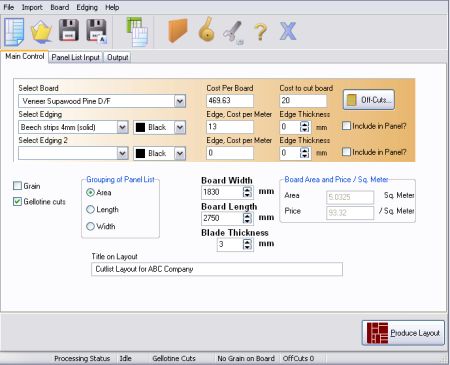
Description: PANEL OPTIMIZER
PANEL OPTIMIZER's main function is to assist the designer in the
optimal placing of components in a very short time.
|
|
The main problem that any cabinet maker, glass cutter or any
one that cuts components has, is the following:
It takes time
to manually place all the different components. The minimum waste
percentage that is required, is not optimal. The amount of
boards, glass etc. needed is not known beforehand. Therefore time
is wasted as well as expensive material.
|
|
Price:
R735
|
Upgrade Price List
|
| Upgrade from: |
|
To 4.2.1.1
|
| 2.2.1.1 |
|
R350 |
| 3.1.1.1 |
|
R300 |
| 3.5.1.1 |
|
R275 |
| 3.7.1.1 |
|
R250 |
| 4.1.1.1 |
|
R200 |
|
Download Full Locked Program

Newest Release 4.2
See Bug fixes - (2008/02/08)
Sample Printout
|
|
 Saves Time!
Saves Waste!
Saves Money!
Give Quotes Faster!
|
|
|
|
New Features
2008/02/08 Edging thickness can now be thinner than 1. E.g. 0.4, and this can be taken into consideration for the size of the panel.
2008/01/01 Print functionality enhanced.
2008/01/01 Added default settings for grain boards like top to bottom when entering cutlist.
2007/06/18 Edging description added to the final printout. This was done to clarify the instructions regarding edging.
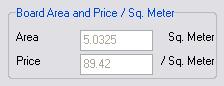
2007/06/15 Price per square added to simplify the calculations regarding the price for the panels only.
The total price for all the panels combined was added to the printout.
Offcuts functionality was added. Now offcut boards can be used with normal size boards to save money.
On the last board, a half board is used automatically if specified and if panels can fit,
to save even more on board costs.
Panels can now be placed from the right side of the board, if specified in the settings.

Edge thickness can also be specified.

Send cutlist with e-mail. This feature enables the automatic creation of an e-mail
with the current cutlist attached, to be send to an e-mail recipient.
Individual settings can now be changed on a settings screen. Like:
Like:
Line Thickness
Font Size
Length and Width measurements can be swapped around
Metric symbol can be changed e.g. mm to dm
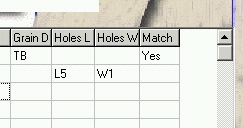
Grain matching is now possible for drawers. As well as holes for cupboard doors.

Two different types of edging can now be used in the software.
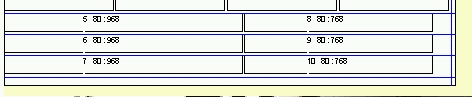
Cutting starting points is displayed on print outs as blue lines.
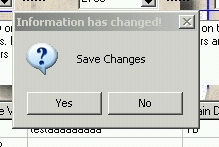
A save changes box will popup, if there are information to save.